
View the Device
- Login to Cyan Web Portal as a Tenant Admin
- Click Manage Devices
- Search for the device name and click

- Click the Device applications button
Unlicense the Device
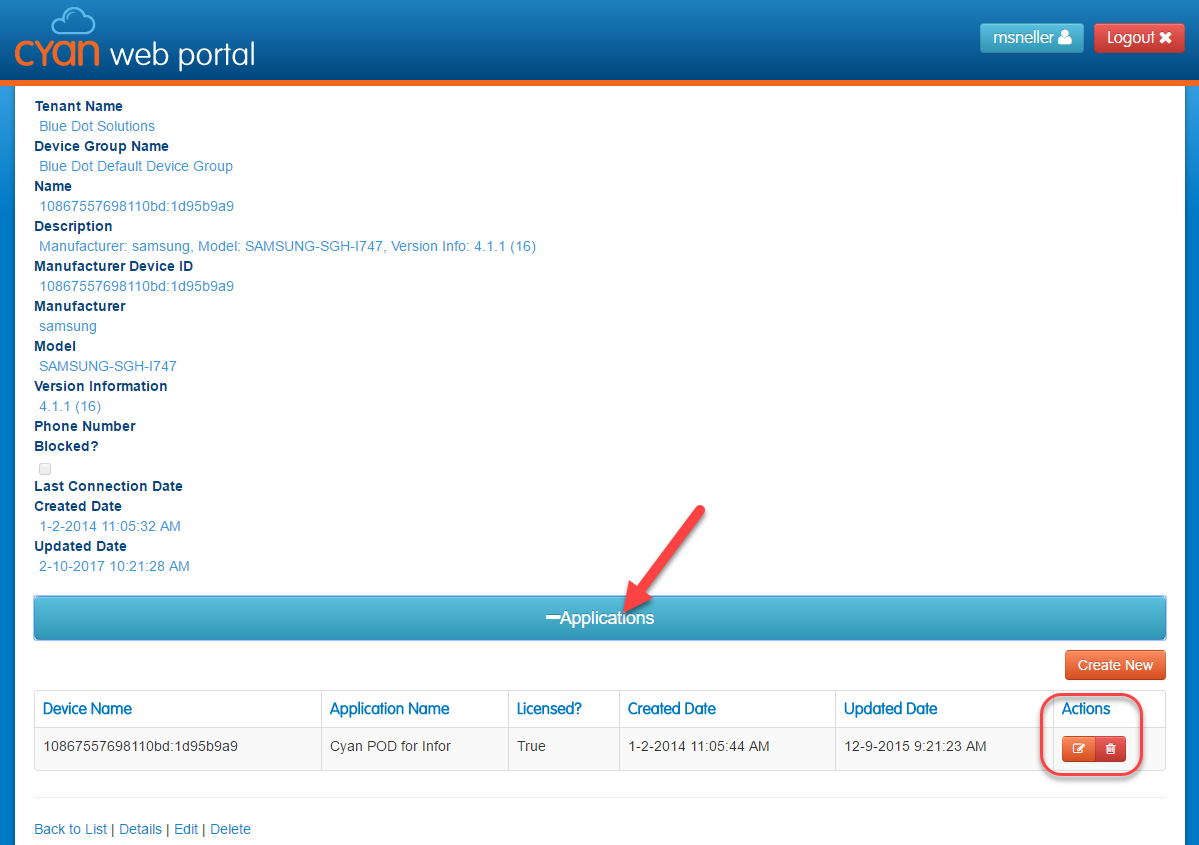
- Expand Applications
- Click
 for the app that you want to unlicense
 - Uncheck the Licensed box and click Save
Delete/Remove license from the device
- Click
 for the app that you want to remove
 - Then click Delete button on the confirmation page
 If you delete the application it will be re-adding to the device the next time Cyan is ran on the target device.
License an application for use on the device
- Expand Applications
- Click for the app that you want to license
- Check the Licensed box and click Save
Comments
0 comments
Please sign in to leave a comment.